One next episode per show
For regular show tracking, Up Next shows the next eligible aired episode, skipping watched and dismissed episodes. Mark it watched to move on to the next one.
Shows for iPhone and iPad
See your next episodes from the shows you follow, along with known upcoming air dates.
For iPhone and iPad.
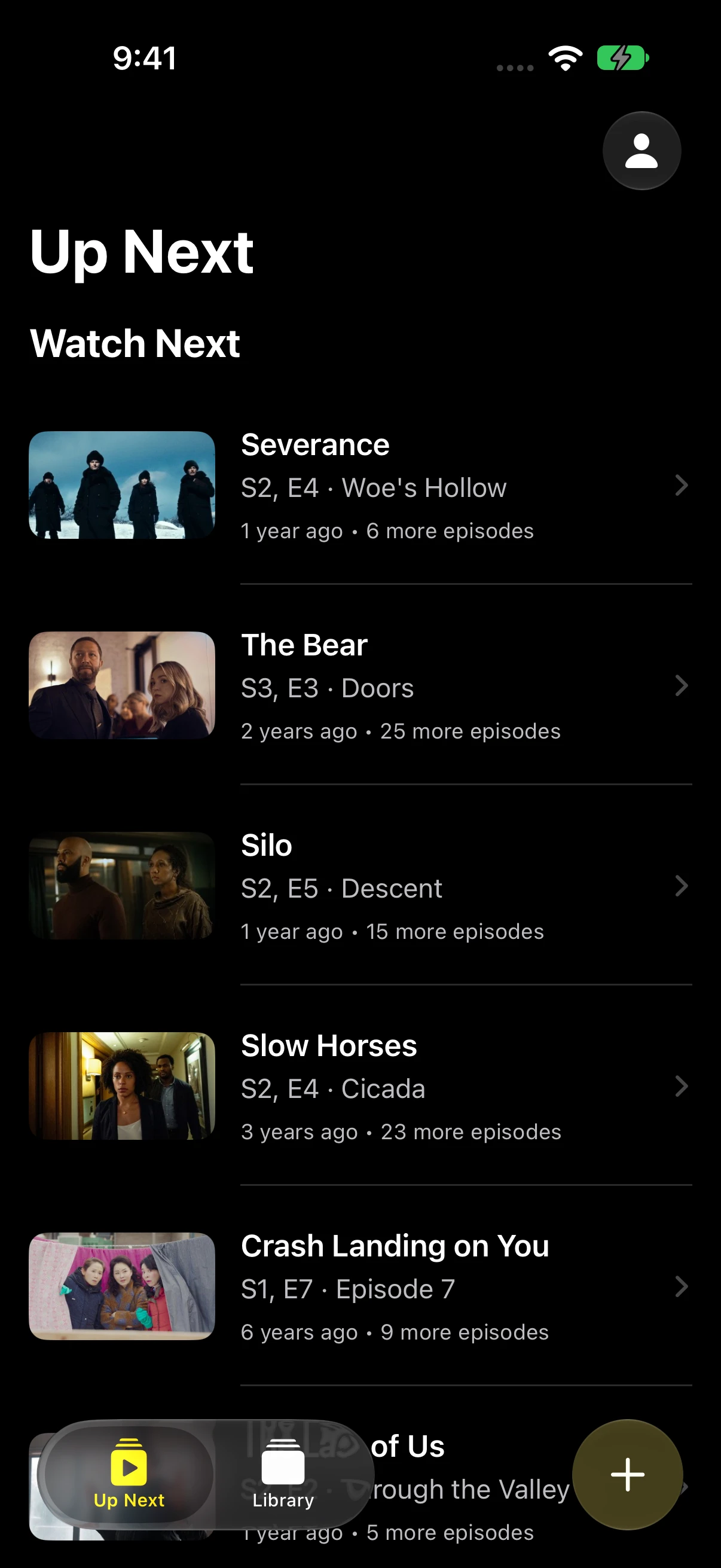
For regular show tracking, Up Next shows the next eligible aired episode, skipping watched and dismissed episodes. Mark it watched to move on to the next one.
Watch Next brings recently added or watched shows forward, along with shows that have newly aired episodes waiting for you.
Snooze a show to pause it in the ready list. Dismiss an episode to hide it without marking it watched. Your watch history stays separate.
Air dates come from the catalog. They can change and don’t confirm availability on a streaming service.
Watch Next orders followed shows by the latest of when you added the show, when you marked an episode watched, or the release date of its newest eligible unwatched episode. That release can be later than the next episode shown in your backlog. Release dates count from local midnight. Ranking does not count viewing days or expire after a fixed window.
Guest appearances use their displayed episode’s release date. Ties use the displayed release date, then show name and episode ID. Next Week, Next Month, and Later use the displayed release date, earliest first. Order updates when progress or synced data changes, and when the date changes.
Known air dates place episodes in Airing Today, Watch Next, Next Week, Next Month, or Later. Next Week covers the next 7 days; Next Month covers days 8–30. Later covers dates beyond that. Episodes without a known date can’t be placed. Current schedules need a connection.
Until tomorrow, for one calendar week, for one calendar month, or until a tracked episode with a later date airs. Snooze hides ready episodes while it’s active; future episodes can still appear in the schedule.
Yes, if you turn on guest appearances or credited episode work. Matching episodes can appear without following the whole show, ordered alongside your shows using their release dates.

For iPhone and iPad.
View on the App StoreSee the App Store for availability, pricing, and device requirements.