New shows and roles
For a new follow, project tracking starts on. After the first complete catalog check, later credits or roles Shows discovers can appear in People Updates. You can turn this off.
Shows for iPhone and iPad
Explore their television work and choose the credits and appearances you want to keep track of.
For iPhone and iPad.
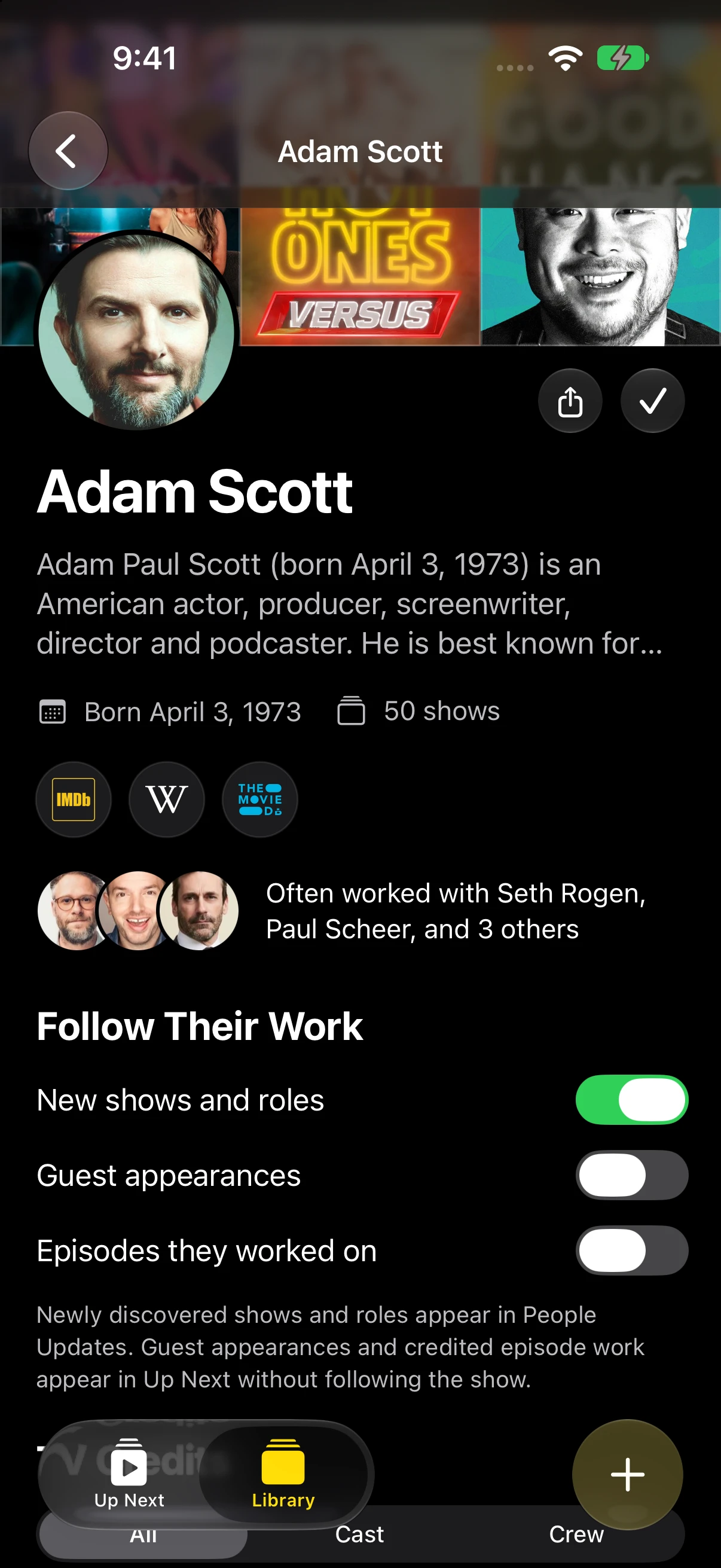
For a new follow, project tracking starts on. After the first complete catalog check, later credits or roles Shows discovers can appear in People Updates. You can turn this off.
Turn on guest appearances to include matching episodes in Up Next, even when you don’t follow the series. Choose all shows or talk shows only. This starts off for a new follow.
Turn on episode-work tracking to include episodes with a matching crew credit. This is a separate choice and starts off for a new follow.
Matching depends on the credits available in the catalog.
Shows has found a credit or role after the first complete catalog snapshot. That first snapshot establishes a starting point without creating updates for existing credits. Later discoveries can include older work and may arrive late; they aren’t premiere or casting announcements.
Coverage depends on the catalog and your selected options. Guest appearances and episode work need the relevant episode credits. A general show credit doesn’t establish work on every episode.

For iPhone and iPad.
View on the App StoreSee the App Store for availability, pricing, and device requirements.